
Download Zema – Free Books App for Android, Russian Language
Overview
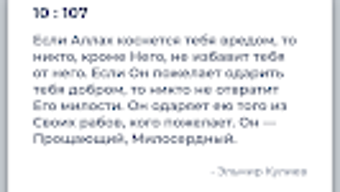
Zema is a free Android application designed for reading books, positioned within the 'Books' category. Developed by Imran Gadzhiev, the app aims to provide users with a dedicated platform for accessing and reading digital literature. Its primary purpose is to serve readers who prefer a streamlined, focused interface for managing and consuming books on mobile devices. The software targets individuals interested in reading digital content, particularly those who value simplicity and ease of access.
Available exclusively in Russian, Zema caters to users in Russian-speaking regions or those fluent in the language. The app is optimized for Android 13.0 or later, indicating a focus on modern Android devices. It was released on July 8th, 2024, and is currently at version 1.4. While the app is free to download and use, the developer has not specified whether it includes in-app purchases or advertisements. Real-world usage scenarios include daily reading, offline book access, and personal library management for casual or dedicated readers.
Key Features & Capabilities
- Reading Interface: Offers a clean, distraction-free layout optimized for reading digital books, allowing users to focus on content without visual clutter.
- Language Support: Fully localized in Russian, ensuring all menus, buttons, and content are presented in the Russian language.
- Offline Access: Enables users to download and read books without an internet connection, ideal for travel or low-connectivity environments.
- Book Management: Allows users to organize and categorize their digital library, facilitating easy navigation and retrieval of titles.
- Version 1.4: Includes updates and improvements over earlier versions, though specific changes were not detailed by the developer.
These features support a seamless reading experience, particularly for users who prioritize accessibility and language-specific functionality. The app’s focus on a single language suggests a targeted audience, and its free model makes it accessible to a broad user base. The lack of information on advanced features such as text-to-speech or cloud synchronization means users should expect a basic but functional reading tool.
User Interface, Workflow & Performance
The user interface of Zema appears to follow a minimalist design philosophy, aiming to reduce distractions during reading. Navigation is likely structured around a main menu with access to the library, settings, and reading mode. The workflow is expected to be straightforward: select a book, begin reading, and manage preferences through a settings panel. Given the app’s focus on reading, the interface likely emphasizes readability with adjustable font sizes and background colors.
Performance details were not specified by the developer. However, the app’s file size of 18.4 MB suggests it is lightweight and should run efficiently on modern Android devices. The developer did not provide information on CPU or RAM usage, so actual performance may vary depending on device hardware and background processes. Stability is not confirmed, but the app’s release on a reputable platform like Softonic may indicate basic quality assurance. Users should expect a smooth experience if the app is well-optimized, though real-world feedback is currently unavailable.
Compatibility & System Requirements
Zema is compatible with Android 13.0 or higher, indicating that it requires relatively recent devices to function. This ensures access to updated system APIs and improved security features. The app has a file size of 18.4 MB, which is compact and suitable for users with limited storage space. The developer did not specify exact hardware requirements, such as minimum RAM or processor type, so users should rely on general Android device standards.
Compatibility information is limited to the OS version and file size. The app is not available on other platforms, including iOS or desktop operating systems. Users should ensure their device meets the minimum Android version requirement before attempting installation. The app is currently only available in Russian, which may affect usability for non-Russian speakers. The developer did not provide details on whether the app supports external storage or file import formats.
Pros and Cons
Pros
- Free to download and use, making it accessible to a wide audience.
- Compact file size of 18.4 MB, suitable for devices with limited storage.
- Designed specifically for reading books with a clean, focused interface.
- Supports offline reading, ideal for on-the-go use.
- Optimized for Android 13.0 and above, ensuring compatibility with modern devices.
Cons
- Only available in Russian, limiting accessibility for non-Russian speakers.
- Developer did not provide information on in-app purchases or advertisements.
- Exact performance and resource usage details were not disclosed.
- No information on supported file formats or cloud synchronization.
- Currently untested by Softonic, so real-world reliability is unknown.
FAQ Section
Is Zema available for iOS devices?
Zema is currently only available for Android. There is no information on an iOS version.
Can I use Zema without an internet connection?
Yes, the app supports offline reading, allowing users to access downloaded books without an internet connection.
Does Zema contain ads or in-app purchases?
The developer did not specify whether the app includes advertisements or in-app purchases.
What languages does Zema support?
Zema is fully available only in Russian. No other language options are currently supported.
How often is Zema updated?
The latest version is 1.4, released on July 8th, 2024. The update frequency is not specified by the developer.
Final Thoughts + CTA
Zema presents a simple, free solution for readers seeking a dedicated book-reading app on Android. With its lightweight design and focus on offline reading, it offers a practical tool for users in Russian-speaking regions. While the lack of detailed information on features, performance, and monetization models limits full evaluation, the app’s core functionality appears solid for basic reading needs.
It is best suited for casual readers who value simplicity and language-specific content. For those who read in Russian and want a no-cost reading experience, Zema is worth exploring. Download Zema now.







